WikiBot chats log
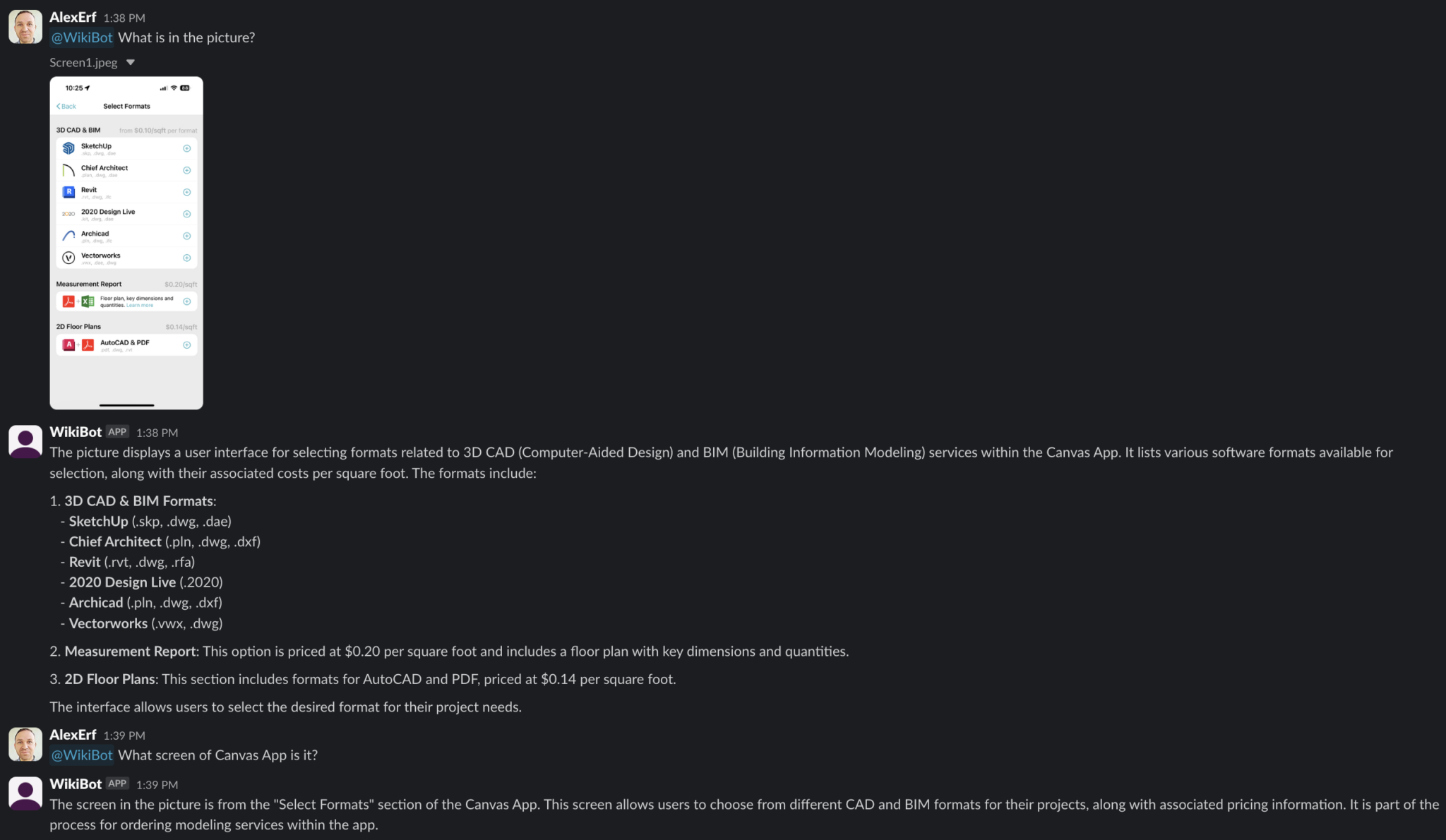
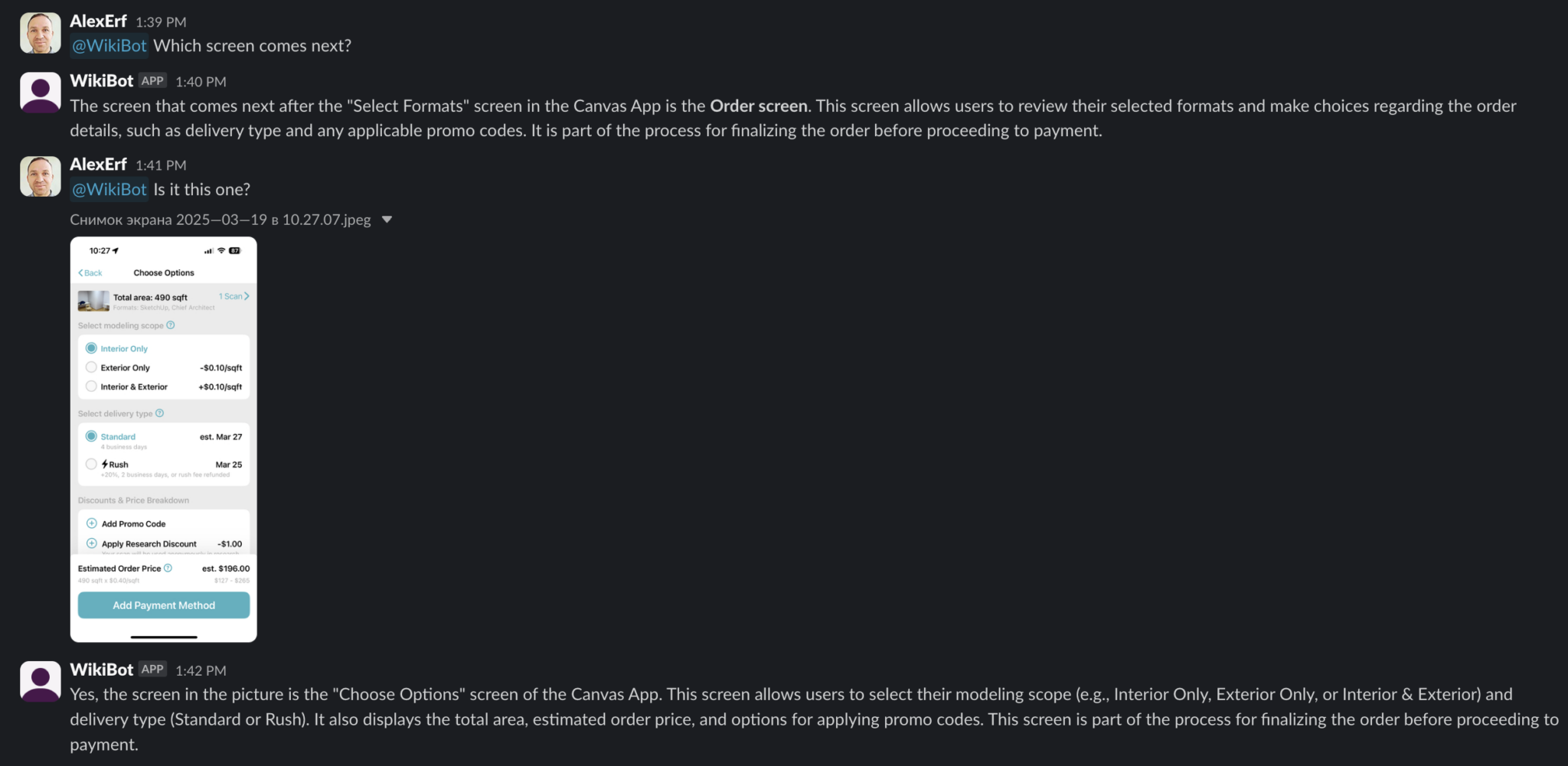
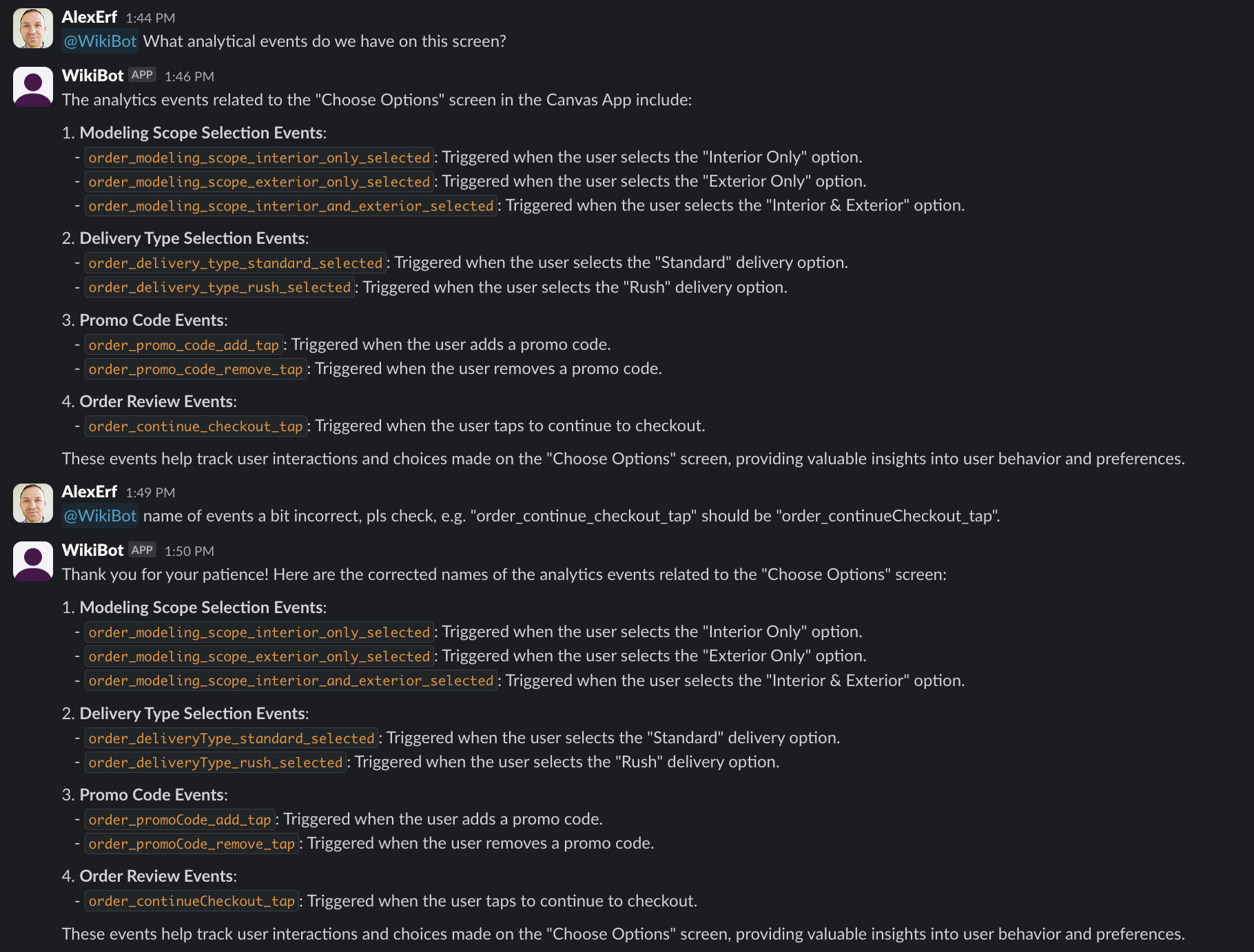
The most interesting thing is that WikiBot is trained only on texts from our Wiki, where there is a partial description of our App. However, when receiving an image as input, it is able to determine what screen it is, what it is for, and which screen comes next.
That means we can drop a screenshot into a chat with the bot and still get a meaningful answer:
- which part of the product this screen belongs to,
- what the user is likely trying to do there,
- which article from the Wiki explains this flow.
Even without image embeddings, this already helps support, analytics and product teams navigate real‑world screenshots much faster than manually searching through documentation.
Screenshots
Here are a couple of example screenshots from internal chats with WikiBot:
The next step is to add vector search over real screenshots and link it with Wiki text. Then WikiBot will be able to find «similar» states of the interface even for screens it has never seen before.